I. What Is Website Page Design? Exploring the Definition and Importance of Web Design
In the digital age, a website is not only the online face of a business or individual but also a vital channel for interacting with users and conveying brand value. "Web page design" integrates clear content architecture, visual design, and interactive experiences to enable visitors to quickly understand the website’s information and navigate and use it smoothly.
Next, we’ll take you on an in-depth exploration of the definition and importance of web design, helping you develop a more comprehensive understanding when planning your website. This will enable you to create a site that combines professionalism with aesthetic appeal, thereby enhancing the overall user experience and your brand’s competitiveness.
(1) What Is Web Design?
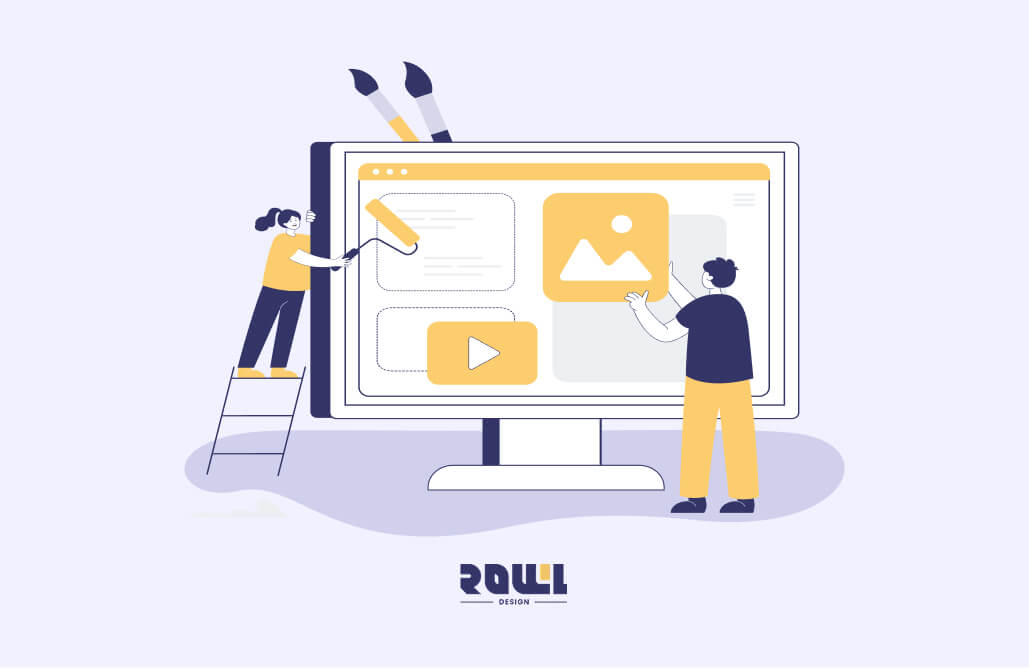
Web design refers to the planning and design of a website’s front-end visuals (aesthetics) and user experience (functionality). It encompasses aspects such as overall style, layout, color schemes, font selection, image usage, and the arrangement of user navigation paths.
Simply put, web design determines how a website “looks” and how “user-friendly” it is. When visual design and functional experience work in harmony, users can not only find the information they need more easily, but the overall professionalism and trustworthiness of the website are also enhanced.
Common web design tasks include:
● Visual style definition (brand colors, fonts)
●Web page layout planning (homepage, product pages, service pages)
● User Interface Design (UI, visual interface and interactive elements such as buttons, icons, and colors)
● User Experience Design (UX, overall experience and feel, such as ease of use and functional categorization)
●Responsive Web Design (RWD, adaptation for mobile phones, tablets, and computers)
(2) Why is web design so important?
For most users, a website is often the first point of contact with a brand. If the website design is clear and navigation is smooth, users are generally more likely to stay and explore, gaining a deeper understanding of the products or services. Conversely, if the layout is cluttered and the information is hard to read, visitors are likely to leave the site quickly.
Therefore, good web design not only enhances brand image but also increases the time users spend on the site, thereby boosting opportunities for further engagement and conversions.
● Establish a Professional Brand Image:
Upon entering a website, users typically form a first impression within just 3–5 seconds and decide whether to continue browsing. If the overall design features a consistent visual style, clear layout, and a good reading experience, it can effectively enhance the brand’s professionalism and make it easier for visitors to build trust.
● Increase Conversion Rates:
Good web design is not just about aesthetics; it is closely tied to user behavior. Through a clear information architecture, well-defined call-to-action (CTA) buttons, and a smooth navigation flow, you can guide users to complete registration, leave contact information, submit inquiries, or make purchases, thereby improving the site’s overall conversion efficiency.
● Boosts SEO Rankings:
A well-structured and designed website also influences search engines’ assessment of site quality. For example, a clear content hierarchy, appropriate heading levels (H1, H2, H3), mobile-friendly responsive design, and fast page load speeds are all key factors search engines use to determine website quality and rankings.
(3) Web Design vs. Web Development
Many people confuse “web design” with “web development,” but the two actually cover different scopes of work. Simply put, they represent the roles of “designers” and “engineers” in website creation.
1. Web Design
Web design focuses on visual aesthetics and user experience (UX/UI). Beyond making the website visually appealing, it involves using clear layouts, logical information architecture, and interactive design to guide users toward specific goals—such as purchasing products, filling out forms, or contacting customer service.
Designers must consider the overall style, color schemes, font choices, image usage, and user navigation paths to ensure the website is intuitive and seamless to use.
2. Web Development
Web development involves transforming design mockups into a "fully functional website," focusing on implementing website features, data processing, and system stability. This work is typically divided into two main categories: "front-end development" and "back-end development."
Front-end Development: Responsible for the interactive interface and user experience visible to the user. Common technologies include HTML, CSS, and JavaScript, ensuring the website displays consistently and remains interactive across different devices.
Back-end Development: Responsible for server-side processing, database management, and logic handling. Common languages include Python, PHP, and Node.js, ensuring the website’s functions are stable, secure, and capable of smoothly processing user data.
Project | Web Design | Web Development |
|---|---|---|
Focus Areas | Visual and User Experience | Programming and Functionality Implementation |
Core Technologies | Layouts, Colors, Typography, UI/UX | Front-end development, back-end development |
Objectives | ● Establish a professional image and build trust ● Reduce bounce rate and increase time on site | ● Ensure proper website functionality ● Improve loading speed and performance |
When executing a website project, “web design” and “web development” are not two separate, completely distinct phases. Instead, they form an integrated process that requires close collaboration and coordination. Only through continuous communication and coordination can the final result achieve both aesthetic appeal and functionality.
II. Web Design Tutorial: Understanding Key Design Principles & Common Layout Elements
A website is not merely a tool for displaying information; it is a vital platform for interacting with users and conveying brand value. During the design process, special attention should be paid to visual hierarchy, the application of responsive design, brand style consistency, and the judicious use of white space. This helps you balance aesthetics and user experience (UI/UX design) when planning a website.
At the same time, it is essential to establish a clear visual hierarchy across the header, content blocks, and footer to ensure users can quickly grasp key information. Whether for a corporate website, product pages, or a personal portfolio, adhering to these design principles will make your site clearer, more readable, and easier to navigate, while enhancing its overall professionalism and brand image.
(1) Web Design Tutorial Tips: Mastering 4 Fundamental Design Concepts

1. Emphasize Visual Hierarchy
By utilizing font size, color contrast, and variations in weight, you can effectively guide users’ eyes to focus first on the “most important information”—such as main headlines or promotional offers—and then proceed to secondary content, like product specifications, supplementary text, or additional details. This helps users quickly grasp key points and significantly improves the efficiency of information delivery.
For example, headings can use large, bold text paired with colors that contrast strongly against the background to grab the user’s immediate attention. Explanatory text, on the other hand, can use a smaller font size and neutral or low-contrast colors, ensuring the page’s focal points are clear and well-structured while reducing the user’s reading burden.
2. Responsive Design
During the design process, it is essential to ensure that web pages display smoothly across various devices, including mobile phones, tablets, and desktop computers. Through responsive design, websites can automatically adjust layouts and element sizes, providing users with a seamless browsing experience on any device. This prevents layout issues that could hinder readability or even lead to user attrition.
3. Visual Consistency and Brand Style
Button styles, fonts, color schemes, and icons throughout the site should be consistent to create a unified brand style. This not only reinforces users’ brand recall but also makes the overall site more visually cohesive, enhancing its professionalism and trustworthiness.
4. Appropriate White Space
Many novice web designers worry that a page will look too empty and tend to cram information into every available space. However, this can actually lead to user reading fatigue. Appropriate white space not only highlights key elements but also reduces reading strain, improving the overall quality and readability of the page, allowing users to browse comfortably and stay focused.
(II) Understanding the 3 Major Sections of Web Page Design: Header, Content, and Footer

1. Header
The header is the topmost area users see upon entering a website. It typically includes elements such as the brand logo, navigation bar, and main visual banner, serving as the primary window for conveying brand image and values.
✅︎Design Principles:
● Clear navigation without excessive complexity
●Place important menus or function buttons at the forefront
● Clearly convey the website’s core values or message
2. Content
The content area is the longest and most central part of a webpage, primarily responsible for conveying substantive information and value, such as the features of brand services, process overviews, and product information. Common elements also include heading blocks (H1/H2), page menu design, text-and-image description sections, customer testimonials, and CTA (Call-to-Action) sections, which help users quickly understand the content and guide them toward subsequent actions.
✅︎Design Principles:
● Each section should convey only one key point
●Maintain white space to avoid clutter caused by information overload
● Incorporate visual elements appropriately to enhance readability
3. Footer
The footer typically contains supplementary information to ensure users don’t lose their way after scrolling to the bottom. Common items include contact information, company address, social media links, privacy policy, and copyright notices.
✅︎Design Principles:
● List information clearly; avoid overly flashy designs
● Emphasize brand trust-building information (provide phone number, email, and business hours)
III. What Are the Web Design Process Steps? A Step-by-Step Guide to Building Your Own Website
Many beginners or businesses often skip the planning phase and jump straight into visual design when creating a website, which can result in issues such as unusable features and confusing user navigation.Below, we’ll break down the standard workflow of a professional design agency—from initial requirements analysis, architecture planning, design, and review, to final launch testing and maintenance—to help you systematically build a custom website from scratch that aligns with your brand identity and effectively reaches your target audience.

STEP 1|Website Requirements Analysis
The first step in web design is to engage in in-depth communication with the client to clarify business objectives and website requirements, ensuring the project has a clear direction from the outset. This phase typically involves understanding the brand positioning and core values, confirming the necessary website features (such as a shopping cart, membership system, or booking system), and analyzing the characteristics and browsing habits of the target audience (TA), laying the foundation for subsequent website architecture and design planning.
STEP 2|Website Design Planning
After confirming the client’s requirements, the next step is to develop an overall website plan. This involves clearly mapping out the page structure and functional modules—such as product displays, forms, and call-to-action buttons—while integrating user experience (UI/UX) and brand elements. This ensures the website meets the needs of the target audience while enhancing overall usability and brand consistency.
STEP 3|Design and Review
When formally proceeding with website design, the design team will present a comprehensive visual and functional proposal for client review. Adjustments and optimizations will be made based on client feedback to ensure the website meets expectations in terms of aesthetics, usability, and functional completeness.
STEP 4|Development and Testing
Once the design is finalized, the project enters the website development and comprehensive testing phase, during which we assess website performance, security, and cross-device compatibility to ensure quality standards are met.
● Front-end Development: Converting design mockups into HTML, CSS, and JavaScript
● Back-end Development: Database, functional systems, and server configuration
● Comprehensive Testing: Cross-browser and mobile device rendering, website loading speed, and security checks
STEP 5|Launch and Maintenance
After the website is officially deployed and launched, the web design agency will provide ongoing maintenance and update services to ensure the site’s long-term stability. We will also optimize the site based on user behavior and market demands to ensure it continues to deliver value and aligns with your brand’s growth objectives.
Choose "ROLLLL DESIGN" to create a high-quality,custom-built website that enhances your brand's competitiveness! Contact Us Now
IV. What Software Is Used in Web Design? A Look at Common Web Design Tools
Selecting the right software tools is a crucial step in creating a professional website. Different design phases require different types of software. Below is a list of common tools used in web page design, including Pinterest and Behance for inspiration, as well as Figma, Sketch, and Adobe XD for UI/UX design. This guide helps you understand the purpose and appropriate use cases for each tool, making your web design process smoother and more professional.
(1) Sources of Web Design Inspiration: Pinterest, Behance
Gathering inspiration before you start designing can help clarify your design direction, determine color schemes and layout, and make your creative process more focused. Here are two commonly used platforms for design inspiration:
Pinterest is the world’s largest visual discovery tool and inspiration board, offering a vast collection of visual works and design examples. Users can search for web design styles, color schemes, and layout inspiration using keywords (e.g., “Web Design” or “UI Trends”), and “pin” images they like to their own boards for future reference.
Additionally, Pinterest’s algorithm recommends similar styles based on user preferences, helping to quickly establish a visual direction early in a project.
● Ideal for: Those who need to quickly browse diverse styles and collect individual elements (such as buttons, fonts, and color palettes).
🖥︎ Behance
Behance is a professional design community and showcase platform owned by Adobe. It primarily presents work in the form of “complete projects,” including details such as design concepts, color specifications, and typography.
Compared to the fragmented inspiration found on Pinterest, browsing case studies on Behance allows you to gain a deep understanding of the entire web design process—from concept to finished product. You can also learn about the latest design trends and creative presentation methods, and apply these excellent design concepts to your own web projects.
● Ideal for: Designers looking to learn the full design process, advanced layout techniques, or seeking high-quality UI work.
(2) UI/UX Software: Figma, Sketch, Adobe XD
As web design needs have evolved, in addition to the early use of Photoshop, there are now many software tools specifically designed for interface design that can more effectively support UI/UX design, prototyping, and team collaboration. Common tools include:
🖥︎ Figma
Figma is currently one of the most widely used UI/UX design tools globally. Its standout feature is cloud-based collaborative design, offering seamless operation for both Windows and Mac users. Additionally, Figma boasts powerful real-time collaboration capabilities, allowing multiple team members to edit simultaneously. It also supports design asset management, automatic layout, and interactive prototyping (design models that simulate user workflows), making the design process more efficient and seamless.
● Ideal for: Team projects, designers requiring cross-platform workflows, and businesses prioritizing collaboration efficiency.
🖥︎ Sketch
Sketch is a vector-based tool that excels at interface design and icon creation. Although currently limited to macOS, its rich ecosystem of third-party plugins remains highly popular among many designers. Through various plugins, designers can quickly expand functionality—such as automatically generating design components, building design systems, synchronizing design guidelines, or integrating with development tools—significantly boosting design efficiency and team collaboration capabilities.
● Ideal for: Professional designers accustomed to the macOS ecosystem and those with specific plugin workflows.
🖥︎ Adobe XD
Adobe XD is a UI/UX design tool developed by Adobe that integrates seamlessly with Photoshop and Illustrator, making it convenient for processing images and visual assets. If you’re already a Creative Cloud subscriber, Adobe XD is the easiest option to pick up and integrate into your workflow.
● Ideal for: Long-time users of Adobe software.
5. Top 5 Web Design Case Studies Combining Aesthetics and Functionality
In the world of web design, aesthetics and functionality are equally essential. An excellent website must not only capture users’ attention but also provide a seamless user experience and clear communication of information.
Below are 5 curated real-world web design case studies covering various types, such as corporate websites and brand showcases. Draw inspiration from these real-world examples to understand how to balance aesthetics and user experience in your designs, and use these insights to create your own high-performance websites.
Case Study 1: GO FULL

GO FULL is a company providing high-end private transportation services. Through the planning and development of a multi-page website, they successfully transformed their brand philosophy and service framework from abstract concepts into interactive visual prototypes, enhancing the smoothness of the booking process and the overall user experience.
✅ Visualization of Core Brand Values
The homepage features a large background image paired with the simple tagline “Where to?”, immediately creating a striking first impression and fostering an atmosphere of safety, luxury, and professionalism.
✅ Structured Presentation of Service Highlights
A modular design showcases the three core services—"Safe and Private Trips," "Luxurious and Comfortable Experiences," and "Professional and Courteous Drivers"—quickly conveying the service’s unique features to potential clients.
✅︎ Responsive Design
The website features a responsive layout, ensuring optimal display across all devices, including desktops, tablets, and mobile phones.
✅︎Multilingual System
The website supports both Chinese and English, facilitating broad reach to global customers and enabling service provision worldwide.
Case Study 2: MORNING HARVEST

Morning Harvest is a physical silver and jewelry brand targeting the Hong Kong market. Through a multi-page website design, we created a one-stop e-commerce platform that beautifully showcases jewelry products, enhances member loyalty, and enables targeted marketing.
✅︎ Smart Membership System and Dynamic Tiering The backend
offers highly customizable criteria (such as spending thresholds within a specific timeframe), allowing the brand to flexibly define membership rules. ✅︎
Product Management and Personalized Frontend Display The
backend allows for independent pricing and inventory settings for individual products (such as rings) based on specifications like color and size.The front end offers multi-dimensional display and sorting options (e.g., new arrivals, bestsellers, recommendations) and tracks each user’s browsing history to create a personalized browsing experience, thereby increasing conversion and repeat purchase rates.
✅︎ Integrated automated marketing tools and customer
engagement: Design pop-ups for first-time visitors offering shopping credits, with customizable rules (e.g., spend-and-get-free offers) and expiration dates to boost marketing efficiency and user engagement.
Case Study 3: C.M.T Interior

C.M.T. INTERIOR DESIGN primarily provides interior design and renovation services. Through a multi-page website design, we created a corporate website that combines visual appeal, convenient content management, and multilingual support, effectively conveying the brand’s core value of “design improving life.”
✅︎ Building Trust Visually and Deepening Brand Identity
The homepage displays key metrics such as “30+ years of experience,” “3,000+ projects,” and “99% satisfaction rate” to quickly establish a sense of professional trust. Meanwhile, the “Latest Projects” section showcases design expertise through high-quality visuals, complemented by professional articles to systematically build an image of industry authority.
✅ Clear Service Navigation
The website structure clearly distinguishes between “Residential Design” and “Commercial & Corporate Design,” and presents service workflows through text and images, allowing clients to quickly understand and navigate to their desired service categories.
✅︎ Efficient Content Management
An integrated, user-friendly Content Management System (CMS) allows clients to independently publish news updates and informative articles, keeping the site dynamic and enhancing SEO performance. ✅︎
Responsive and Multilingual Design
Utilizing fully responsive web design (RWD) ensures seamless browsing on mobile phones, tablets, and other devices. The site also supports switching between Chinese and English, meeting the needs of Hong Kong’s international clientele.
Case Study 4: Lok Pui Yee Kindergarten

Lapier Kindergarten is dedicated to creating a joyful and comfortable learning environment that incorporates multiple intelligences. By developing a website with comprehensive management features, the school can clearly present its educational philosophy. The online enrollment application system significantly improves administrative efficiency, while the easy-to-maintain backend allows the school to update content independently and in real time.
✅︎Integrated Online Enrollment Application System and Centralized Backend Management
Built-in structured application forms allow parents to submit enrollment information online, while the school can view and process applications in real time, ensuring a smooth and error-free application process.
✅︎CMS Content Management System
An easy-to-use CMS allows the school to independently update the latest news, campus events, curriculum information, and student achievements without relying on technical staff. ✅︎
Responsive and Cross-Device Compatible Design
Utilizing front-end responsive web design technology ensures the website automatically adjusts to the optimal layout across all devices, including desktops, tablets, and smartphones, providing parents with a seamless and consistent user experience regardless of the device they use. ✅
Structured Information Architecture and Basic SEO Optimization
The website features a clear structure that effectively presents key information such as the school’s philosophy, curriculum highlights, and admission procedures. Basic SEO settings are implemented to enhance search visibility and attract potential parents.
Case Study 5: Caritas Lok Wu Comprehensive Vocational Training Centre

The Caritas Lok Wu Comprehensive Vocational Training Centre provides diverse vocational skills training services for adolescents with special educational needs and people with disabilities. Through a multi-page website design, the site not only comprehensively introduces the centre’s vocational training programs and core philosophy but also ensures that users with varying abilities can access information equally and conveniently through comprehensive web accessibility design.
✅ Leading Accessibility Experience
The website integrates an "Accessibility Toolbar," allowing users to adjust font size, color contrast, and text spacing with a single click, and even disable animation effects. This provides a highly customized browsing experience for individuals with visual, reading, or cognitive impairments, ensuring equal access to information.
✅︎ Clearly Communicating Our Mission and History
The website clearly presents the center’s development since its establishment in 1981, introduces its core mission of supporting vulnerable communities, and highlights the latest services—such as the “Supported Employment Training for People with Disabilities” launched in 2024—to build a sense of professionalism and trust. ✅︎ Balancing
Service Recipients and Employer Networks
The website content focuses on “character development” and “employment follow-up” for trainees, while also emphasizing the establishment of a “caring employer network,” ensuring that both trainees’ families and potential partner companies clearly understand the value of the Center’s services.
✅︎ Structured and Serene Visual Presentation
The overall design creates a peaceful and trustworthy visual atmosphere that aligns with the image of a social service organization. At the same time, a clear information architecture ensures that all users can comfortably and seamlessly navigate the website’s content.
Choose "ROLLLL DESIGN" to create a high-quality,custom-built website that enhances your brand's competitiveness! Inquire Now
6. Should I build my own website or hire a professional company? Answers to 4 Common Web Design Questions
For brands or businesses planning a website for the first time, in addition to considering website style and content, they often encounter many practical questions, such as whether free templates are sufficient, whether they need to hire a design company, how much to budget for the website, and how long web design takes. Below are three common questions to help beginners more clearly assess their needs and direction when planning a website.
Q1: Should I use a free template or hire a professional web design company?
When building a website, common choices include “using free templates” or “hiring a professional design agency.” Both have their pros and cons and are suitable for brands at different stages and with varying needs.
● Free Templates: Free templates are quick to set up, cost-effective, and typically come with built-in basic website features, making them ideal for brands looking to launch a site quickly. However, their designs and layouts are often fixed, making it difficult to fully align with a brand’s unique style. They may also result in high similarity to other websites, limiting brand recognition.
● Professional Design Agencies: These agencies can create a bespoke website style tailored to a brand’s positioning and needs, offering significant advantages in visual design, user experience, and functional flexibility. However, since the overall process typically involves stages such as requirements consultation, design planning, and system development, it is advisable to allocate sufficient time for design and development to ensure the website’s quality and completeness.
Overall, if the website is primarily used to display basic information or for initial market testing, using free templates allows for faster completion and a quicker launch. However, if a brand aims for long-term operation, building a professional image, or conducting product sales, choosing professional web design typically enhances brand trust and user experience.
Q2: When is it recommended to seek assistance from a professional company?
As website requirements grow, seeking assistance from a professional web design company often results in a more comprehensive overall plan. Professional teams typically provide one-stop services ranging from requirements analysis, design planning, system development, and testing to launch and ongoing maintenance, ensuring the website meets ideal standards in both functionality and stability. It is generally recommended to seek
professional assistance in the following situations:
● High brand image requirements: The goal is to establish a professional brand image and achieve market differentiation through the website.
● Complex functional requirements: Such as e-commerce systems, membership systems, booking systems, or integration with third-party services.
● Emphasis on user experience: Aiming to improve conversion rates through optimized website structure and user flow.
● Limited time and resources: The company lacks in-house design and technical expertise, or struggles to allocate sufficient time for planning and executing the website project.
By leveraging a professional team’s planning and execution, you can not only minimize issues during development but also ensure website quality and long-term maintainability.
Q3: How much does website page design cost?
Web design costs typically vary depending on the level of customization and the complexity of the website’s features. Based on current market rates, the overall price range is generally between HKD$5,000 and HKD$100,000, though the actual cost will depend on the specific requirements of the website.
Common factors affecting pricing include:
● Number of pages and feature requirements: The more pages and the more complex the features, the higher the development costs tend to be.
● Design and development quality: Custom visual design, animation effects, or special interactive features may all affect the price. ●
Maintenance and ongoing support: This includes services such as website maintenance, system updates, and security monitoring.
● Website type: For example, a one-page website used solely to showcase brand information has simple functionality and thus lower overall costs; conversely, an e-commerce website requiring integration of online payment features, membership systems, and other multifunctional capabilities has higher development demands and consequently higher costs. Therefore
, when planning a website budget, it is recommended to first clarify the website’s objectives and functional requirements before discussing proposals with a design company, allowing for a more accurate assessment of the overall cost and return on investment.
Q4: How long does web design take?
The timeline for web design and development typically depends on the website’s scale, the complexity of its features, and the efficiency of communication and review processes. Generally, the process from requirements analysis to official launch takes approximately 1 to 12 weeks. ●
Simple showcase websites: About 1 to 3 weeks. These primarily display brand or company information with minimal functional requirements and can usually be completed quickly using templates.
● Medium-sized business or brand websites: Approximately 4–8 weeks. These require multi-page planning, brand style design, and basic interactive features (such as forms, contact pages, or simple membership systems). ●
Complex functional websites or e-commerce platforms: Approximately 2–3 months or longer. These include custom features, backend management systems, multilingual support, membership systems, payment functions, and more.
VII. Recommended Web Design Agency: [ROLLLL DESIGN], Crafting High-Quality Websites Tailored to Your Needs
Professional web design ensures your brand delivers a comprehensive and seamless browsing experience. Whether for brand showcase, information dissemination, or business expansion, a systematic design process highlights your company’s professional image and service features while building trust and long-term relationships with customers.
If you wish to create a custom website, we recommend choosing “ROLLLL DESIGN.” Our professional team will assist you throughout the planning process to build a website that aligns with your brand positioning and combines aesthetics with practicality.
"ROLLLL DESIGN" specializes in providing high-quality web design services. From initial requirements analysis, visual design, and website development to deployment, launch, and ongoing maintenance and optimization, every step is tailored to your brand positioning. Whether it’s a corporate website, an e-commerce platform, or a functional website, we can help your brand achieve greater visibility and conversion rates.
4 Key Services and Features of “ROLLLL DESIGN”:
● Brand Building: From graphic design to comprehensive brand identity systems, we help you establish a professional and consistent brand image.
● Platform Development: Custom development of corporate websites, e-commerce platforms, apps, and mini-programs to meet diverse business needs.
● Digital Marketing: Targeted advertising on Facebook, Instagram, and Google to drive business growth and brand exposure. ●
Technical Support: Reliable system maintenance and technical consulting services to ensure long-term, stable website operation.
Choose "ROLLLL DESIGN" to have a high-quality,custom-built website that enhances your brand's competitiveness! Contact Us Now
Help you solve company IT transformation challenges,
All types of functional websites/Apps/systems can be created!
If you have any production needs, please contact us,
We will provide free consultation for your needs.
- # Good service ≠ More expensive
- # Professional IT team, improve website effectiveness
- # Proper planning, tailor-made IT solutions
Popular Articles
From Idea to App Store: Your 2026 App Development Roadmap
5027
The 2026 Hong Kong Digital Marketing Playbook: Your Guide to Outpacing the Competition
2531
Beyond WordPress: Understanding What Truly Defines an Enterprise CMS
2043
Don't let an outdated website make your company seem old-fashioned to customers
2013
A Warning Sign: The Critical Importance of Updating Your Website Content
1951